 Doody
DoodyPrivate poop tracker: log without an account
A private poop tracker stores your bowel diary on the device, lets you start without creating a login, and only exports data when you choose. That matters because stool logs include symptoms, food tags, and timing you may not want in a random cloud profile.
What local-first means in practice
Doody’s free logging works offline, needs no account, and keeps entries on your iPhone. You can add a biometric lock from settings when the phone leaves your pocket.
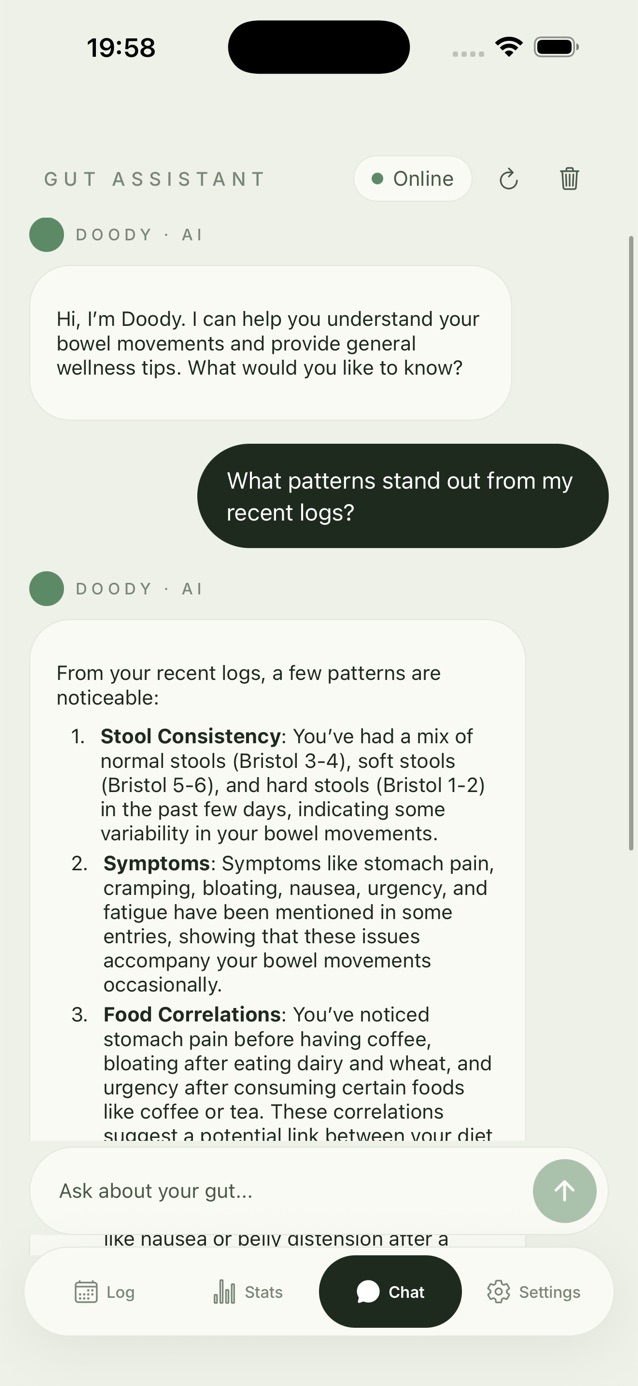
Features that need a network connection (such as AI chat replies) should be obvious when you use them. Everyday Bristol logging should not depend on signal in a hospital basement.
Exports are a feature, not a leak
CSV export and screenshots exist so you can brief a clinician. You decide the moment of sharing. That is different from an always-synced social graph of your bathroom habits.
If you use family profiles, remember each profile is still on the same device. Lock the app if children or colleagues can open your phone.
Log the next bowel movement in Doody
Free Bristol logging on iPhone. Upgrade later if you want Doody’s Read, full history, and CSV export.
Download on the App StorePrivacy habits that still matter
Use a passcode on the phone itself. Review which notifications preview on the lock screen. When you email a CSV, treat it like any other medical attachment.
Doody is a wellness tool. Privacy-friendly design does not replace clinical judgement or safeguarding advice from your care team.
FAQ
Does no account mean I can never back up?
Local-first means the default path does not require a login. Use CSV export or your usual iOS backup habits if you need a copy. Read the in-app privacy details for anything that syncs.
Is AI chat private?
Chat needs a network request to generate a reply. Logging and stats on device do not. Check the privacy policy for what is sent when you use assistant features.